Why Your Viewers Think You're Ignoring Them (It's Not What You Think)
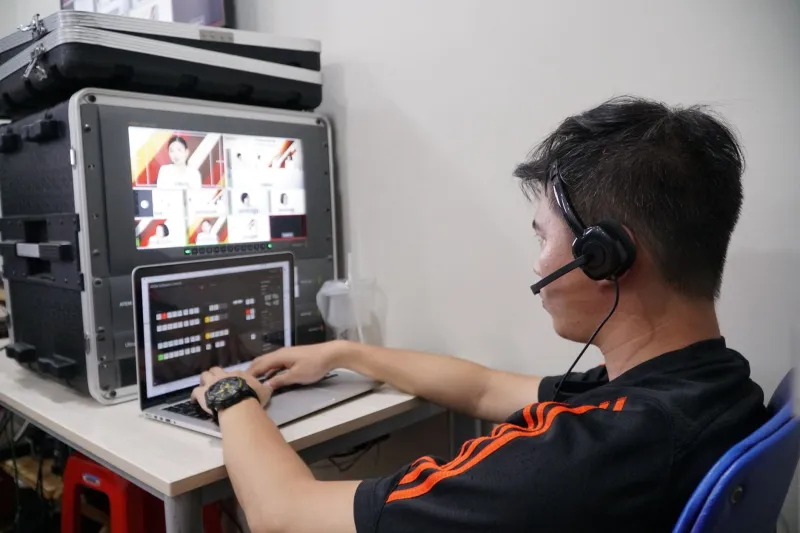
You're live. You're energetic. You're reading chat, calling out usernames, answering questions. From where you're sitting, the interaction feels great. But a chunk of your audience is watching you respond to something someone said 30 seconds ago—and from their end, it looks like you're talking to ghosts.
Welcome to the latency problem. It's one of the most misunderstood friction points in live streaming, and it quietly damages viewer experience on thousands of shows every single day.
What Latency Actually Is (And Why It's Unavoidable)
Latency is the gap between the moment something happens in your studio and the moment your viewer sees it on their screen. You sneeze, they see you sneeze—but not right away. Depending on your platform, your settings, and your viewer's connection, that gap could be anywhere from two seconds to over a minute.
This happens because live video doesn't teleport. It gets captured, encoded, packaged into chunks, uploaded to a server, processed, distributed across a content delivery network, and then decoded on the viewer's device. Every one of those steps takes time. You can shorten the chain, but you can't eliminate it.
The tricky part? Different platforms handle this very differently.
Platform Latency Is Not One-Size-Fits-All
If you've ever streamed on YouTube Live, Twitch, and Facebook Live in the same week, you've probably noticed they don't feel the same—even with identical settings on your end.
Twitch offers a low-latency mode that can get you down to around two to three seconds for most viewers. That's genuinely close to real-time, and it's a big reason why gaming and reaction content thrives there. YouTube Live operates in a similar range when you enable its low-latency option, though the default is closer to 15–30 seconds. Facebook Live tends to sit somewhere in the middle, often around 15–20 seconds under normal conditions.
LinkedIn Live and some professional webcast platforms, on the other hand, can push delays out even further—sometimes 30 to 45 seconds—because they prioritize stream stability and quality over real-time responsiveness. That's a reasonable trade-off for a corporate town hall. It's a rough experience for a casual Q&A.
None of these platforms are doing anything wrong. They're just optimizing for different things. Your job is to know which one you're on and adjust your show accordingly.
The Moment Latency Becomes a Real Problem
Latency only becomes a crisis when your show is designed around the assumption that interaction is instant. If you ask a question, wait three seconds for answers, and then respond—you're going to look confused, distracted, or worse, dismissive, to a big portion of your audience.
Here's the specific scenario that breaks things: You say, "Drop your answer in the chat!" Then you glance down and respond to the first comment you see. From your vantage point, that felt smooth. But the viewer who typed their answer 20 seconds ago is watching you respond to someone else's message and wondering if you even saw theirs. That's a small frustration—but small frustrations compound over the length of a stream.
This is what creates the "dead stream" feeling even when the show is technically performing fine. The energy is there. The content is good. But the interaction loop feels broken.
Practical Moves That Actually Help
The good news is that experienced streamers have developed real workarounds for this. None of them eliminate latency, but they make it invisible to your audience.
Give chat more runway. When you invite interaction, pause longer than feels natural before responding. If you're on a platform with 20-second delay, wait at least 25 to 30 seconds before reading answers. It'll feel awkward to you at first, but your audience won't notice—they're watching their own message travel to you in real time.
Narrate the delay openly. Some streamers just say it out loud: "I'm giving chat a second to catch up." Audiences respect transparency, and it reframes the pause as intentional rather than dead air. It also signals that you're paying attention to them, which is exactly the reassurance a viewer who just typed something needs.
Use on-screen chat overlays. When viewers can see their own messages appear on your stream—even if you haven't acknowledged them yet—they feel seen. Tools like Streamlabs, OBS plugins, and native overlays on most major platforms let you pull chat directly onto your screen. This one change alone can dramatically improve perceived engagement.
Batch your responses. Instead of reacting to one comment at a time, read three or four at once. This naturally accommodates the delay because you're pulling from a window of time rather than reacting to a single moment. It also makes you look more plugged in, not less.
Design content that doesn't depend on instant feedback. Polls, countdowns, and structured Q&A segments are your friends here. If you tell your audience "I'll read your top answers at the 20-minute mark," the delay becomes part of the format rather than a bug in the experience.
Low-Latency Mode: When to Use It and When to Skip It
Most major platforms now offer some version of low-latency streaming, and the instinct is to always turn it on. But there's a trade-off worth knowing about: lower latency often means less buffering tolerance for viewers on slower connections.
If your audience skews toward mobile viewers, rural areas, or international watchers, pushing for ultra-low latency can actually increase buffering and drop-outs—which is a worse experience than a 20-second delay on a smooth stream. If you're running a tightly interactive show for a tech-savvy audience on good connections, low-latency mode is usually worth it. Know your crowd before you flip the switch.
The Bigger Lesson Here
Latency isn't a bug to be fixed. It's a constraint to be designed around. The streamers who frustrate their audiences aren't the ones with high latency—they're the ones who built a show that pretends latency doesn't exist.
Once you understand what your platform is actually doing with your signal, you can structure your content to work with it. Your viewers will feel heard, your chat will feel alive, and the gap between your studio and their screen will quietly stop mattering.
That's the real goal: not a perfect technical setup, but a show that feels real regardless of what's happening under the hood.