Run Your Whole Show From One Chair: The Solo Broadcaster's Guide to Looking Like a Crew of Ten
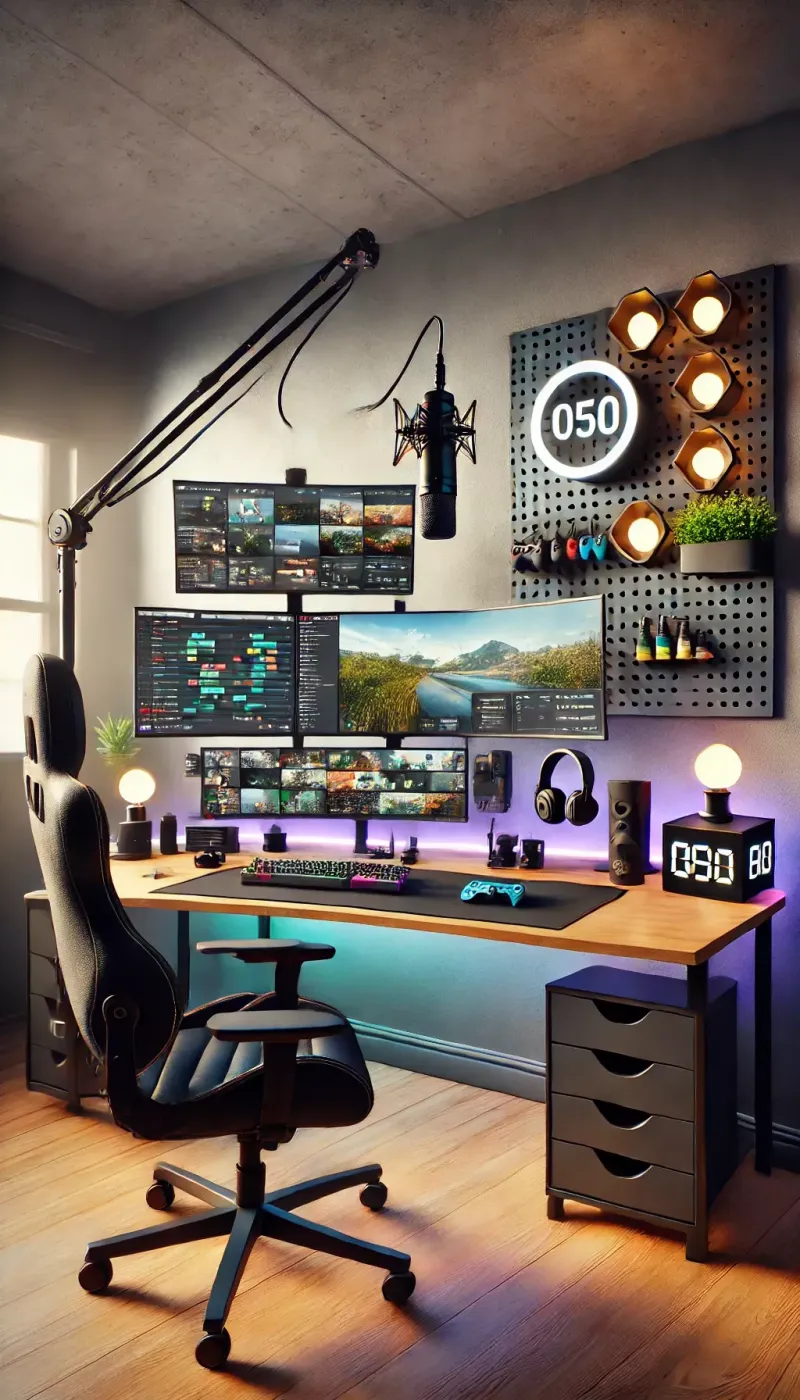
Photo: solo streamer broadcasting setup with multiple monitors home studio, via i.pinimg.com
There's a moment that happens on every big-budget broadcast that solo streamers assume they can never replicate: the cut. The camera swings, the lower-third slides in, the audio duck happens on cue, and the whole thing feels handled. Viewers read that polish as professionalism, and professionalism reads as worth-watching.
Here's the good news: none of that requires a crew. It requires a system. And in 2025, the gap between a one-person operation and a full studio is smaller than it's ever been — if you set things up right.
Your Scenes Are Your Staff
Think of every scene in OBS or your streaming software of choice as an employee. Right now, most solo streamers have three: "game," "talking head," and "starting soon." That's a skeleton crew. A produced-feeling show needs a deeper bench.
Build out a full roster:
- A cold open scene — just your face, tight framing, no overlays. This is where you hook people in the first eight seconds.
- A transition scene — a branded five-second buffer that buys you time to fix anything behind the curtain.
- A full-screen media scene — for clips, gameplay, or screen shares.
- An interview scene — even if you rarely have guests, having it ready means a collab opportunity never gets fumbled.
- A technical difficulties scene — because it's not if, it's when.
The trick is that each scene should exist to solve a specific problem you've actually run into. Scene design isn't decoration. It's insurance.
Hotkeys Are Your Camera Operators
A director in a control room isn't doing anything magical — they're just pressing buttons at the right time. So press buttons.
Map every scene change to a hotkey within reach of your left hand while your right hand stays on the mouse. Then go one layer deeper: assign hotkeys for audio ducking, source muting, and your transition stinger. A streamer who can cut to a clip, drop the music, and return to cam without touching the mouse looks, to the audience, exactly like someone sitting next to a technical director.
Spend one off-stream hour a week rehearsing. Seriously — run your show solo, no audience, and drill the transitions until they're muscle memory. Nobody applauds the rehearsal, but everybody notices the broadcast that never stumbles.
Automation Is the Intern You Never Hired
You can't press every button yourself, so delegate what you can:
- Auto-switching tools like OBS's built-in scene transition plugins or third-party scene managers can flip scenes based on which audio source is active. Talk, and it cuts to you; play a clip, and it cuts to the clip.
- Chat-triggered commands let your community handle routine tasks — pulling up the schedule, replaying a highlight, updating the countdown — while you stay in flow.
- Scheduled overlays can rotate sponsor slides, timers, and reminders without a second of your attention.
The goal isn't to remove yourself from the production. It's to reserve your attention for the things only a human can do: reading the room, working the chat, and actually being entertaining.
The Budget Gear That Punches Above Its Weight
You don't need to spend thousands to look produced. You need to spend hundreds strategically.
- A used mirrorless or a solid mid-tier webcam with manual settings locked in beats an expensive camera on auto mode every time. Consistency reads as quality.
- A single key light plus one cheap accent light creates depth that most streams simply don't have. Two-point lighting is the single highest-ROI upgrade in solo streaming.
- A hardware stream controller — even a budget macro pad — puts scene switching in your hands instead of a dropdown menu. Fumbling through menus on camera is the solo streamer's tell.
- An audio interface with a physical mute button. The confidence of knowing you can kill your mic instantly makes you a looser, funnier host.
The Psychology of the Produced Event
Here's the part nobody says out loud: half of "production value" is pacing. Big broadcasts never linger. They cut, they move, they introduce. Solo streamers default to a single static shot for hours, and no amount of gear fixes that.
So manufacture rhythm. Cut away from yourself every few minutes — to a clip, a graphic, a screen share — even when you don't technically need to. Give your show a cold open, a mid-show segment change, and a proper sign-off. Structure signals effort, and effort signals that your audience's time matters.
One person can absolutely run a show that feels like an event. The crew is a myth you can retire tonight — your keyboard is the crew now.